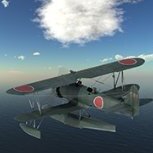
denders Posted November 15, 2020 Share Posted November 15, 2020 I've been a long time off and on modeler when family, time, and situations allowed. We retired, moved from PA to TN (grand kids) and trying to find a lot of time to model both in plastic and electronic. http://www.military-meshes.com/forum/showthread.php?7529-Lockheed-(Vega)-PV-1-Ventura&p=88257#post88257 I have a Cameo 4 (early Christmas present) that I'm in the process of figuring out. The first masks that I've created are ID letters on the tail of a 1/48 "Dave". The next step is to actually use them. 😅😅 Dave 2 Quote Link to comment Share on other sites More sharing options...
Kevin Futter Posted November 15, 2020 Share Posted November 15, 2020 Welcome aboard, Dave! Kev Quote Link to comment Share on other sites More sharing options...
Mozart Posted November 15, 2020 Share Posted November 15, 2020 Good to see you here Dave, hope all goes well with the Silhouette! Quote Link to comment Share on other sites More sharing options...

Recommended Posts
Join the conversation
You can post now and register later. If you have an account, sign in now to post with your account.
Note: Your post will require moderator approval before it will be visible.