Mozart
SMPM_Members
-
Joined
-
Last visited
Everything posted by Mozart
-
Thanks for that Harry, very useful info and lots of tips! And just to add to that I used my Infinity this afternoon and have fallen back in love with it again! Max
-
-
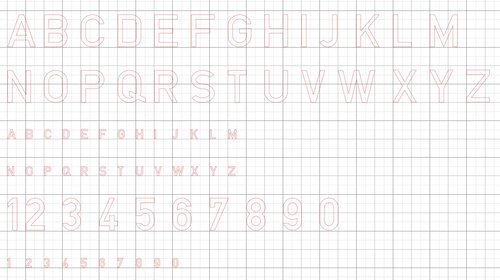 I don’t Nick, but ordinary letters adapted to stencils are very easy to do.
-
Ok Kev, I can see your point. It’s a shame that this undeniably excellent resource isn’t better known about and that sponsorship hasn’t been forthcoming. The site of course hosts the masks that I designed for the Airscale Defiant, linking with a QR code on the kit, and in recent discussions with Peter I’ll shortly be doing the same for his Typhoon so there’s an implicit element of “sponsorship” there, albeit not (yet?) financial! Max PS I have donated!
-
Is “cricket cutter” auto-text for Cricut Russ? :) Welcome, I hope you find the site useful Max….another nearly 80 year old modeller!
-
I find myself again questioning not only the viability of the site Kev, but also its raison d’etre. Don’t get me wrong, I’m prepared to make a donation to help out because there’s no reason why you should be the one to bear all the cost, but if there’s no tangible gain of any sort in it for you other than altruism, why do it? Max
-
Welcome aboard Ken….1/72 eh….that’s small but good luck! I imagine you’ll be fine with national markings etc but serial numbers will be pushing the limits. I recently cut some 1/48 masks for a friend though and they came out well, so you never know! Keep us informed. Max
-
Hello Casey, and welcome to the forum. It sounds like you have a lot to offer. Max
-
I have tried it in 1/48th, it’s impossible!
-
I use exclusively MRP paints Mark. Very easy to use, dry within minutes.
-
Looks like you’re on the right track Mark, practice then is the thing! Good luck. Max
-
-
Firstly Mark (oh, and welcome!) what transfer medium are you using? Some are better than others, I always use the Cricut stuff, it’s so much better than Frisket for instance. Doing the Balkenkreuze, my method is always to firstly put an “empty” mask in place. Sometimes I prepare one specifically when I am designing the mask sheet, or I carefully lift the parts out of the actual mask using the transfer sheet. Then spray the empty mask area with white. When that is dry, carefully replace the mask elements which are still on the Cricut transfer sheet, so effectively the whole mask is back together as one. Finally, weed out the black area masks and spray. Remove the remaining masks when dry. Hope this makes sense and helps! Unfortunately I don’t have any sequence shots of doing a Luftwaffe mask, but this recent Typhoon roundel illustrates the principle, especially steps 1 and 2: Max
-
It seems to be the trend these days that we are increasingly being told “what’s best for us” by those who deem themselves to have the power, I have a particular beef with some of the settings on my iphone for instance. Really pisses me off. So I hope a) that I am allowed to stick with this setting, and b) that the LSP format doesn’t change like this one has!
-
Thanks for that Kev. I have to say that I don’t like the boxy- grid format at all, find it most off-putting, so I’m much happier now that I have reverted to the “classic” format. Max
-
Good to see a new member, and somebody who has recognised the immense value and potential in making your own masks. I hope you find something of value here Michael, though I’m afraid as a Silhouette user my knowledge of Cricut is zero! ☹️😃 Max
-
Hello Jamie, and welcome. Buying your wife a Cricut is the way to go, “my” Silhouette machine was a present for my wife 11 years ago, bought to help her card making hobby. She still doesn’t know how to use it!
-
Hello Davy, welcome to the world of mask making! If you don’t find an answer here to any questions, just ask. Max
-
Works fine for me Kev, well done, and please don’t retire! 😂 Max
-
Definitely the way to go for small stuff Guy, is a laser cutter available at a reasonable price? I must admit I have no knowledge whatsoever about them; availability, cost, ease of use, material to be cut, machine size etc etc. I’ll be interested to know what you know or have researched. Max
-
Indeed a superb Spitfire in all its detail and authenticity. If I may add a little to Guy’s post? He asked me about the “do not walk” markings over the wing bulges, even in 1/24 scale these were going to be a challenge for the Silhouette cutter, so I prepared a range based on Guy’s estimates and measurements of the length of the dashed markings: I had to fiddle the length of the dashed lines for the optimum effect, the letters from memory are 1.5mm tall. The “B” inevitably was the least successful, but overall a good result: Max
-
Good to see you here John, I’m sure you’ll soon discover the benefits of your cutting machine, though being a Silhouette user I can’t offer any specific advice on the Cricut. Max
-
Cricut transfer sheet every time.
-
Welcome Benjamin. Tips and tricks…..hmmm, there are so many that I have learned over the years. I like to make life as simple and straightforward as possible so I give each task a lot of thought before I start to determine the most efficient way of working, and one of the most useful tools is the “OBJECT”, “MIRROR” tool on the top bar where you can flip sections of your drawing to build up the final design. Max
-
Welcome Francois, especially to a rugby fan! Masks for 1/72, wow…..very tricky for anything other than main markings I think, not even serial numbers! Bon chance. 😁